From the counter
Demo Content, Stock Photos, and the Gap at Launch

The preview is full of photographs that are not included. What the demo import actually gives you, what it withholds, and why the gap shows up on launch day.
The single most common disappointment with a website template has nothing to do with the template. It is the moment the demo import finishes, the page loads, and it does not look like the preview — because the preview was full of photographs that were never part of the purchase.
This is not a trick. It is a licensing constraint that sellers are mostly upfront about in the small print and almost never mention in the place you would read it. Here is the shape of the gap and how to close it before rather than after launch.
Why the pictures are not included
A template author building a demo needs imagery, and the imagery has to be licensed. What they buy is a licence to use those photographs in their product — the demo, the preview, the marketing of the item. That licence does not normally extend to redistributing the files to every buyer for use on every buyer's site, because that would be a fundamentally different and far more expensive kind of licence.
So the photographs appear in the preview under the author's licence, and stop at the download boundary. The layout is yours. The pictures filling it are on loan to the picture of it.
The preview, and what the download holds
Same layout
In the preview

In the download
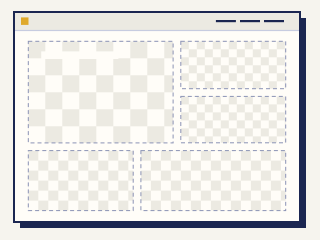
WordPress.org's theme rules make the underlying principle unusually visible, because there listing requires that everything inside the zip be GPL-compatible, and authors must document copyright, licence and source for every bundled resource including images and fonts. Read that in reverse and the economics are obvious: imagery that can lawfully travel inside a freely-redistributable theme is a narrow category, and most attractive stock photography is not in it.
What a demo import actually installs
"One-click demo import" is doing real work and it is worth knowing which work, because it is not one thing. A typical import brings:
- Structure — pages, menus, widget or block placements, the arrangement the preview showed you
- Settings — colours, typography choices, layout options, whatever the theme's options panel holds
- Placeholder text — lorem ipsum, or the author's sample copy, which you will replace
- Image placeholders — grey boxes, low-resolution proxies, or occasionally a small set of genuinely licensed images the author owns or commissioned
That last line is where products differ, and it is the line to check. Some authors supply a handful of properly licensed images so the demo does not look broken. Some supply nothing and the layout collapses where the photography was doing the structural work. A few pay for redistributable imagery and say so loudly, which tells you they know it is a differentiator.
The failure that happens at exactly the wrong moment
The expensive version of this is not the disappointment. It is what people do about the disappointment.
The sequence is always the same. The demo looks wrong without photography. There is a deadline. Somebody finds images that look close to the preview, from wherever images are found at eleven at night, and puts them up. The site now looks right and is hosting imagery nobody has a licence for.
That exposure is real, it is trivially discoverable by the tools rights-holders actually use, and it arrived through a door the template purchase opened. It is also entirely avoidable, because the gap is predictable and can be budgeted for weeks earlier.
Fonts are the same problem, one size smaller
Typography runs on the identical mechanism and nobody thinks about it until a licence audit.
A demo may be set in a typeface the author licensed for their own presentation, or one whose web licence is metered by page views, or simply a commercial face that arrived in the zip without paperwork. The WordPress directory rules make the expectation explicit — bundled fonts need documented copyright, licence and source like any other resource — but outside that directory the documentation is patchy.
The check is quick: list the typefaces the demo uses, find each one's licence, and confirm it permits web embedding on your site at your traffic. Where it does not, substituting an openly-licensed face is an hour of work and changes the design less than people fear. Where it does, write the licence down with the rest of the project paperwork.
Closing the gap on purpose
Four steps, in the order they should happen:
- Read the item's imagery statement before you buy. Sellers who include licensed images say so; sellers who do not, say nothing, and silence is the answer. If the item page is ambiguous, ask — and treat a vague reply as a no.
- Budget the photography as a separate line. It is a separate purchase, so make it a separate number. A template plus its imagery is the real cost of the look you chose; comparing templates on template price alone compares the wrong thing.
- Source imagery before the build, not during launch. The decision made under deadline pressure is the one that creates exposure. The same decision made three weeks earlier is a calm afternoon on a stock site.
- Keep the licences with the project. Certificates, receipts, the terms as they stood on the day. This is the same discipline that applies to the template licence itself, for the same reason: in two years it is the only record of what you were permitted to do.
The option nobody considers early enough
If your own photographs exist — the actual premises, the actual product, the actual people — use them, even if they are less polished. A template full of real imagery outperforms the same template full of correctly-licensed stock, and it removes the entire licensing question from the project. This is the rare case where the cheaper path is also the better one, and it loses only because stock is faster to obtain at the last minute.
What this does to template selection
Once you accept that the photography is not included, one selection criterion changes shape entirely: how does this layout behave with imagery you can realistically obtain?
A design whose impact depends on full-bleed cinematic photography is making a demand on your budget that the item price concealed. A design that holds up with modest, honest pictures is asking for less and will look better in practice, because it will actually be finished. That is a judgement about your resources rather than about the template's quality, and it is a more useful one than anything a thumbnail grid can tell you.
It also feeds directly into the argument in the ranking of where to get a website template: a platform's built-in library tends to be designed against realistic imagery because the platform knows what its customers actually upload, while a marketplace item is designed to win in a thumbnail grid. Those are different design briefs and they produce different results in your hands.
The one-line version
The demo shows you a finished site. You are buying the parts of it that are not photographs, and photographs are doing more of the work in that preview than anyone wants to admit.
Budget for them, source them early, keep the paperwork, and the gap between the preview and your launch stops being a nasty surprise and becomes a line item you already paid. The related trap — components that arrive inside the theme under somebody else's licence — is in the bundled plugins entry, and the two together account for most of the distance between a template's price and a template's cost.
Where this entry sits
Every entry in this count feeds one sheet: the best website templates ranked by what their licences actually give you. Start there for the shape of the decision, then come back here for whichever clause is in front of you.